
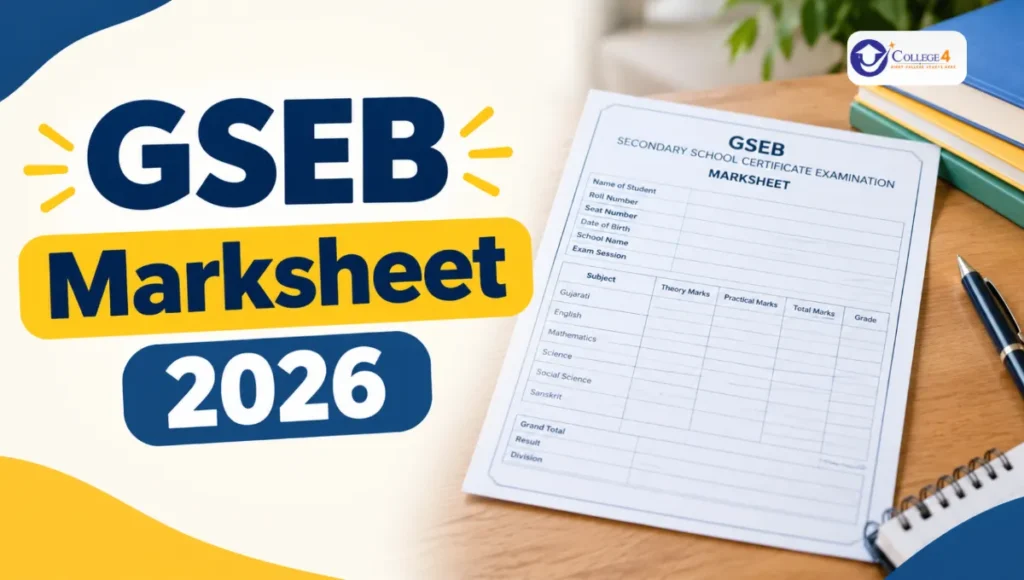
The GSEB Marksheet 2026 is an important document for students who have appeared for the Gujarat Secondary and Higher Secondary Education Board (GSEB) Class 10 examination. It contains students’ subject-wise marks, total marks, grades and examination results. Students can check their result online and collect their original marksheet from their respective schools when it is issued by the board.
The GSEB SSC Marksheet 2026 will help students complete admission formalities for Class 11 and choose a suitable stream, such as Science, Commerce or Arts. Students should carefully check all the information printed on their marksheet and report any mistakes to their school authorities. Read this article to learn about the GSEB marksheet, how to check your result, the details mentioned on it and the process for correcting errors.
GSEB Marksheet 2026: Highlights
Students can check the important information about the Gujarat Board 10th marksheet in the table below.
| Particulars | Details |
|---|---|
| Board Name | Gujarat Secondary and Higher Secondary Education Board (GSEB) |
| Examination | GSEB SSC Examination 2026 |
| Academic Session | 2025–26 |
| Class | 10th |
| Exam Dates | February 26 to March 16, 2026 |
| Result Availability | Online, as announced by the board |
| Marksheet Availability | Through respective schools |
| Login Details | Seat number and other required credentials |
| Official Website | gseb.org |
| Other Official Portal | gsebeservice.com |
Note: Students should check the official GSEB website for the latest announcements about results, marksheets and document collection dates.
What Is the GSEB SSC Marksheet 2026?
The GSEB SSC Marksheet 2026 is an official academic record issued by the Gujarat Board for Class 10 students. It shows the marks obtained in different subjects and other important examination details.
Students may be able to check their provisional result online after the board declares it. However, an online result or provisional marksheet may not replace the original marksheet issued through the school.
The original GSEB marksheet is useful for admission to higher secondary classes, scholarship applications and other academic requirements. Students should keep it safe even after completing their Class 10 admission process.
How to Check the GSEB Marksheet 2026 Online
Students can follow these steps to check their GSEB SSC result online. The exact options available on the website may depend on the board’s current result portal.
- Visit the official Gujarat Board website at gseb.org.
- Look for the SSC Result 2026 link on the homepage.
- Click the result link to open the login page.
- Enter your seat number and any other information requested.
- Check the details and click on the Submit button.
- Your result should appear on the screen if the result service is available.
- Check your subject-wise marks and qualifying status.
- Save or print the result for temporary reference, if the website provides this option.
Students should enter their details carefully. If the website is not responding, they can try again later or contact their school for assistance.
Important: Online result access and marksheet downloads are not always the same service. Follow the instructions published by GSEB to find out whether a downloadable provisional marksheet is available.
How to Get the GSEB Marksheet Through SMS
Students should use an SMS facility only if it is announced or confirmed by the Gujarat Board for the relevant examination year.
If GSEB provides an SMS result service, the board will publish the required message format and recipient number. Students can then follow the official instructions using their mobile phones.
Do not send personal examination details to an unverified number or website. If the SMS facility is unavailable, students can check the result through the official website or contact their school.
How to Download the GSEB Marksheet Through DigiLocker
DigiLocker may provide access to digital academic documents when the relevant board record is available. Students can check the platform to see whether their GSEB SSC marksheet has been issued digitally.
Follow these steps:
- Visit DigiLocker or open its official app.
- Sign in to your account or create an account if required.
- Search for Gujarat Board or GSEB under the available education document services.
- Select the relevant SSC marksheet or certificate service, if listed.
- Enter the required student details.
- Follow the verification instructions displayed on the platform.
- Access and save the digital document if it is available.
The availability of a document depends on the board’s digital records and the services supported by DigiLocker. Students should not assume that every year’s marksheet will be available for immediate download.
Details Mentioned on the GSEB SSC Marksheet 2026
After receiving the GSEB marksheet, students should check all the printed information carefully. The document generally contains the following details:
- Student’s full name
- Father’s name and mother’s name, where applicable
- Date of birth, if printed
- Name of the school
- Seat number or examination roll number
- Subject names
- Subject-wise marks
- Theory and practical marks, where applicable
- Total marks obtained
- Grades or division, where applicable
- Result or qualifying status
- Board name and other examination details
The exact information may vary depending on the format of the marksheet issued by the board.
Common Errors in the GSEB Marksheet
Sometimes, students may notice mistakes in their marksheet. These errors should be reported as soon as possible because the document may be required during admission and verification.
Common mistakes include:
- Incorrect spelling of the student’s name
- Incorrect parents’ names
- Wrong date of birth
- Incorrect subject names
- Missing or incorrect subject marks
- Mistakes in total marks or grades
- Incorrect seat number or school details
Students should compare the information on the marksheet with their school records and other relevant documents.
How to Correct Errors in the GSEB Marksheet 2026
If a student finds an error in the GSEB SSC marksheet, they should contact their school authorities without delay. The school can guide them through the board’s correction procedure.
The general process is as follows:
- Identify the incorrect information on the marksheet.
- Inform the school principal or examination department about the mistake.
- Submit a written application explaining the required correction.
- Attach supporting documents, such as school records or other proof requested by the board.
- Follow the instructions provided by the school or GSEB.
- Collect the corrected marksheet once the correction has been approved and issued.
Students should confirm whether any prescribed form, supporting document or fee is required. The correction process and processing time may vary depending on the type of error.
How to Get a Duplicate GSEB Marksheet?
Students who have lost or damaged their original marksheet should contact their school or the Gujarat Board to learn about the duplicate document process.
Depending on the applicable rules, students may need to submit an application, provide identification or examination details, and pay a prescribed fee.
Before applying, check the official GSEB website or contact the relevant board office to confirm the required documents and application procedure. Keep a digital copy of your marksheet as a backup, but remember that it may not be accepted in place of an original or officially issued duplicate in every situation.
GSEB SSC Marksheet After Supplementary Exams
Students who appear for supplementary examinations should check the result and marksheet instructions issued by GSEB for their examination session.
After the supplementary result is declared, students who meet the applicable passing requirements can follow the board’s instructions to obtain their updated marksheet or other relevant documents.
Students should contact their schools to confirm when the documents will be available. They should also check whether the marksheet reflects the updated result and subject-wise marks correctly.
GSEB SSC Grading System 2026
The GSEB grading system helps students understand their performance in the examination. The applicable grade and marks ranges should be checked against the official grading rules for the relevant examination year.
The following table reproduces the grade ranges provided in the reference information. Students should verify these ranges with the official GSEB guidelines before using them for result interpretation.
| Grade | Marks Range |
|---|---|
| A1 | 91–100 |
| A2 | 81–90 |
| B1 | 71–80 |
| B2 | 61–70 |
| C1 | 51–60 |
| C2 | 41–50 |
| D | 35–40 |
| E1 | 21–34 |
| E2 | Below 21 |
Note: Grade labels and marks ranges can differ from the official board scheme. Refer to the grading details published by GSEB for the applicable examination year.
What to Do After Receiving the GSEB Marksheet?
After collecting the GSEB SSC marksheet, students can start preparing for admission to Class 11 or another eligible course.
Here are some important steps to follow:
- Check the marksheet: Confirm that your personal details and subject-wise marks are correct.
- Choose a stream: Consider Science, Commerce or Arts according to your interests, marks and future goals.
- Complete admission formalities: Keep your marksheet and other required documents ready for school admission.
- Keep the document safe: Store the original marksheet securely and maintain a digital backup.
- Report errors promptly: Contact your school if any information needs correction.
The GSEB marksheet is an important academic document, so students should keep it safe for future educational and verification requirements.
Frequently Asked Questions (FAQs)
1. How can I check the GSEB Marksheet 2026 online?
Visit the official GSEB website and look for the SSC Result 2026 link. Enter the required examination details to check your result. Downloadable marksheet access depends on the services provided by the board.
2. Where can I collect the original GSEB SSC marksheet?
Students should contact their respective schools to confirm when the original marksheet is available for collection.
3. What should I do if my name is incorrect on the GSEB marksheet?
Inform your school authorities and submit a written correction request with the supporting documents required by the board.
4. Can I get a duplicate GSEB marksheet if I lose the original?
Yes, students can ask their school or GSEB about the procedure for applying for a duplicate marksheet. The required documents and fee, if applicable, should be confirmed through official channels.
5. Can I use a digital GSEB marksheet for admission?
Acceptance depends on the admission authority and the type of document issued. Check the admission instructions to confirm whether a provisional result, DigiLocker document or original marksheet is required.
Read More Also